
I believe close to a decade now, Microsoft Project Online has been a backbone for a large portion of Project Management Offices (PMOs). As the only thing 100% reliable in business, is that everything changes over time, Microsoft has officially signaled the end of the online version for September of this year. I know many that are likely to associate this with the incessant need for Ai, but I’d like to ensure a couple facts are known about the Online Version of Project. Being heavily invested in the Project Management ecosystems along with Operational Excellence, RPA, Automation/Orchestration, I think this is a strong and positive step likely long overdue.
The “Legacy Architecture” Problem 📇
Oddly enough, and some of you likely know this already, the original Project Online was built on a foundation of SharePoint Online. This architecture is well over a decade old and has become a bottleneck for modern integrations even among it’s own Microsoft ecosystem.
- Integration Hurdles: The legacy SharePoint structure makes it difficult to integrate deeply with the Power Platform (Power BI, Power Automate, and Power Apps) which has exploded with features and useability demands over the last few years.
- Speed & Scale: Modern project management requires massive real-time collaboration and data processing that the old SharePoint-based “Project Web App” (PWA) struggled with on the back end when it comes to efficiency.
Yes, the Copilot Mandate💡
- The old Project Online architecture simply isn’t compatible with more advanced and custom PM agent based machine learning. And it makes sense that it wouldn’t. It was originally designed long before Markov Chains were being thrown at data.
The New Planner built on Dataverse
- Microsoft has been working hard on the new Planner that does leverage modern data structures that can be read, categorized, correlated, summarized, and automated in ways the old version was not viable for.
If you have NOT tried out the new Planner, I would strongly suggest taking a half day to explore the new features. Especially for projects with basic and simple requirement tracking / reporting and seamless integration using Component linking in emails (this may be deprecated as of 2026?). As of today, there’s a free 30 day trial you can enable in your tenant.
🗓️ Timelines
Microsoft has laid out a definitive schedule for the retirement of Project Online (PWA). Technical dependencies mean some organizations will feel the impact as early as this spring.
- October 1, 2025 (Passed): Microsoft ceased the sale of new Project Online-only licenses.
- April 2, 2026: A major milestone. SharePoint 2013-based workflows will be retired. If your project environment relies on these for stage-gate approvals or automated reporting, those processes will break on this date. Additionally, users will no longer be able to create new Project Online tenants.
- September 30, 2026: The official End of Life. On this day, Project Online will be shut down entirely. There is no read-only mode—data not migrated by this date will be permanently inaccessible.
The “New” Planner
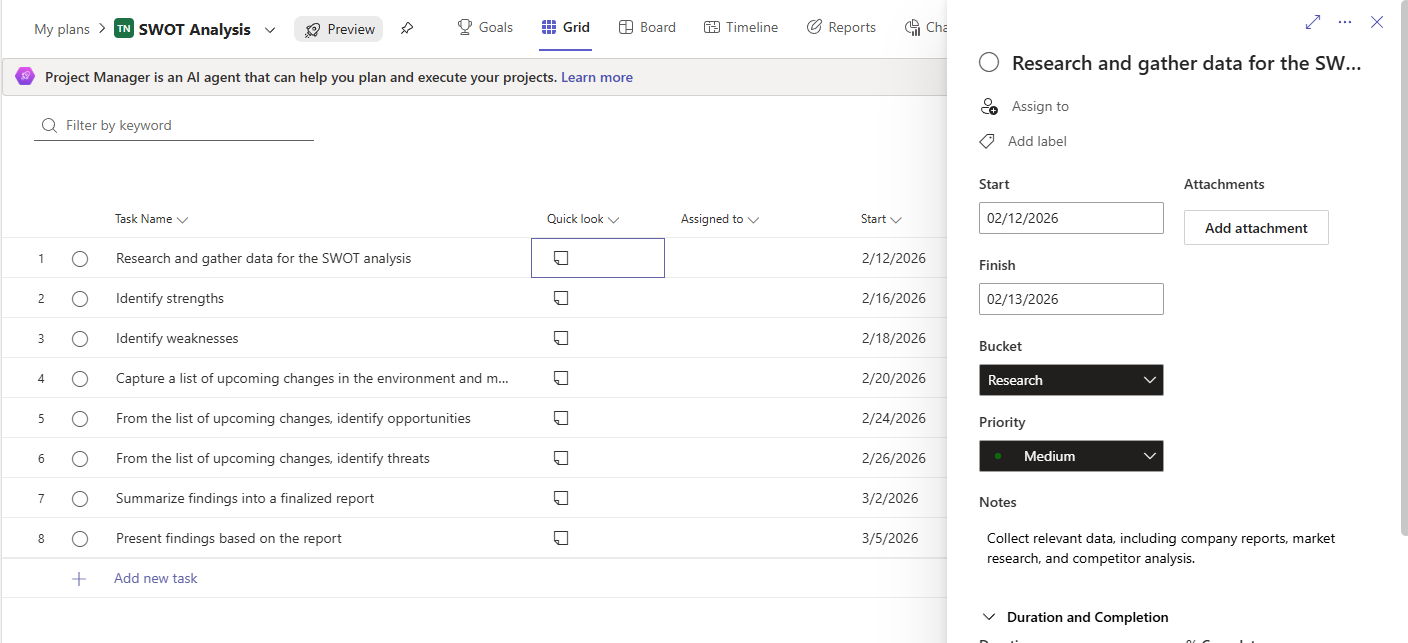
A sample of the classic SWOT template I loaded into Planner.
Checkout the Conversation on LinkedIn: https://www.linkedin.com/pulse/expected-shift-gold-standard-project-management-tools-jon-liebertz-eaubc
#isitagile #projectmanagement #agile #businessstrategy